| In this lesson, students will understand how to flip an image over a line using code. |
Students will be able to:
|
|
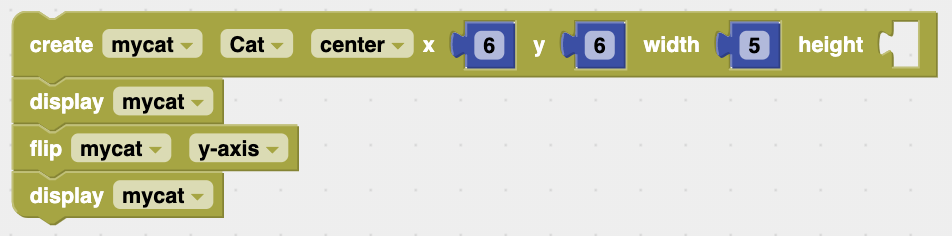
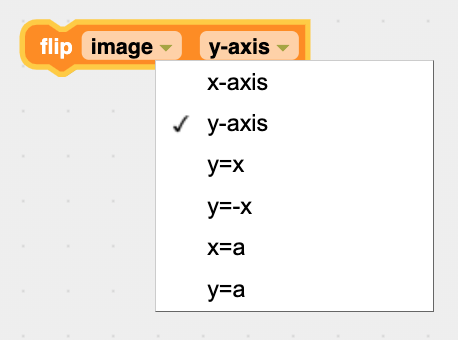
1. The flip image Block The flip image block, available in the Image menu, will take the image that is stored in an image object and flip it across a specified line, such as the $y$-axis:
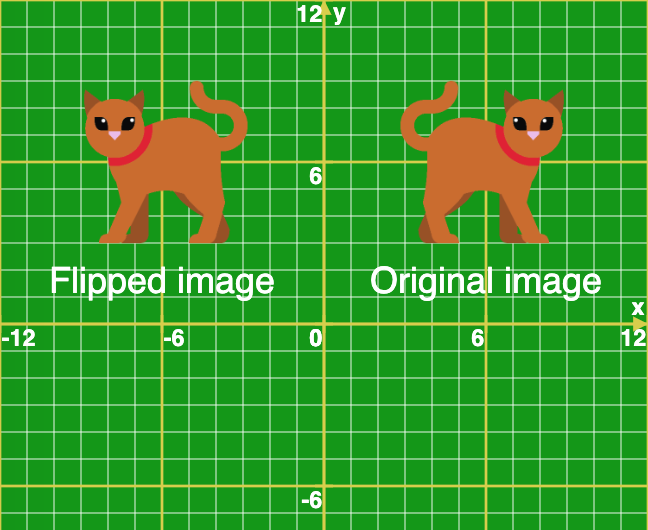
2. Flipping Works Like a Mirror The specified flipping line acts like a mirror. The result is easiest to see when the line is the $y$-axis (like a vertical mirror). If the initial image is centered at the point $x = 6$, $y = 6$, the flip image ($y$-axis) block will change the image to its mirror image at the point $x = -6$, $y = 6$. Here's the code and result (with the labels drawn separately):
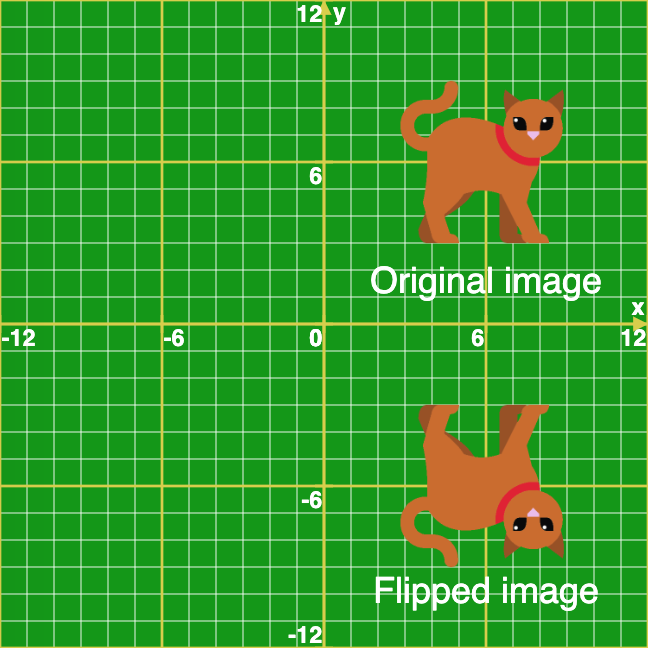
If we instead flip it across the $x$-axis, it looks like this (the $y$ values of the image are changed from positive to negative):
Example 1 shows how it works using a dolphin image. It's recommended to use the Step button to step through the code one block at a time to see how the flipping works.
Example 1 demonstrates this by creating and displaying an initial image of a dolphin, and then flipping it three times, displaying it after each flip.
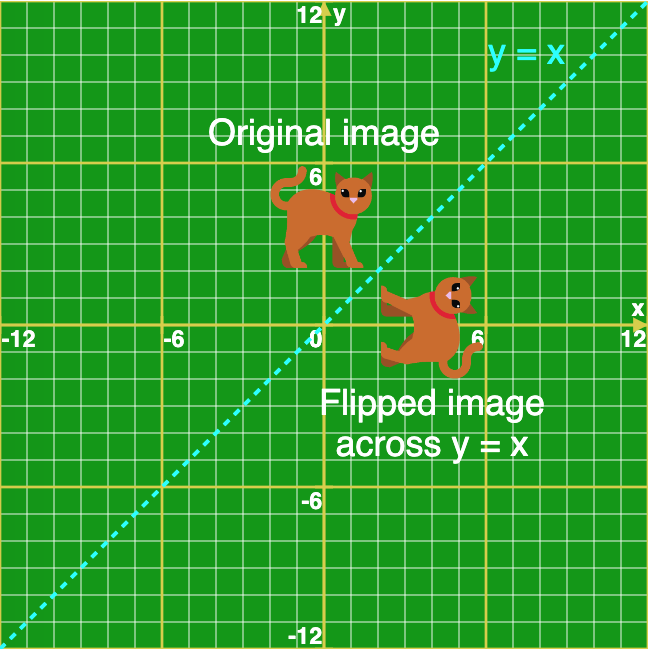
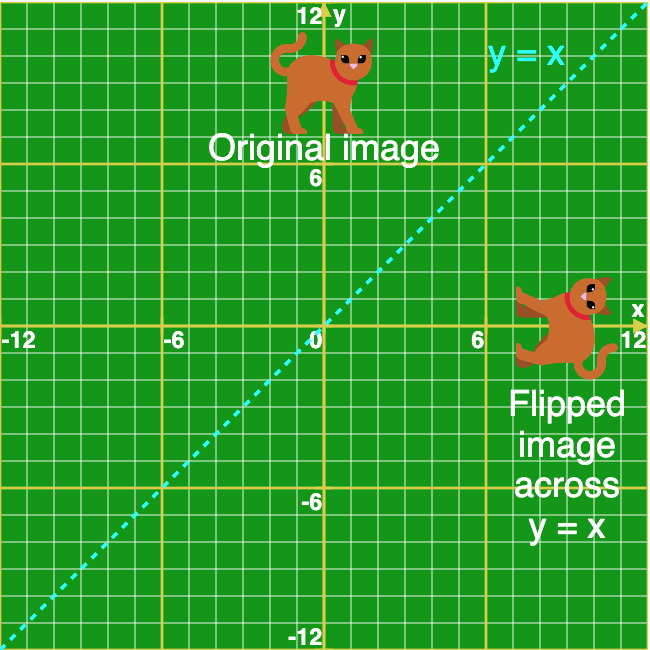
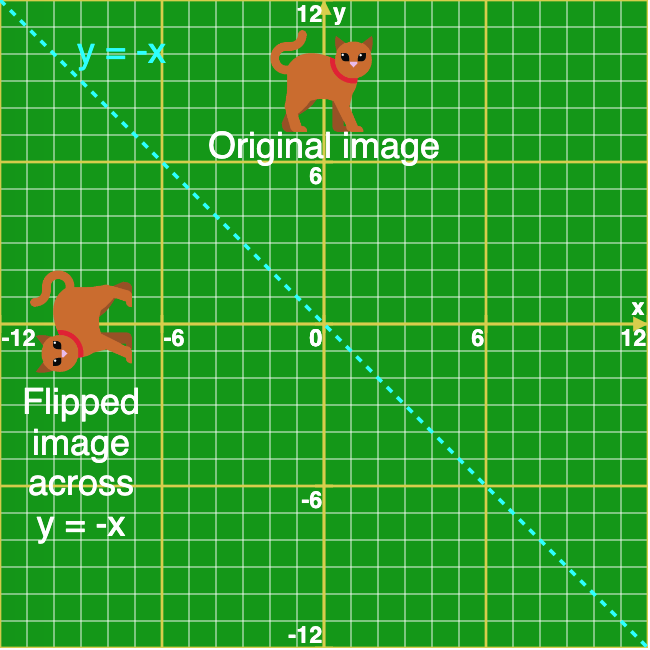
3. Flipping Across the $y = x$ and $y = -x$ Lines The $y = x$ line is a diagonal line at an angle of $45$ degrees. When we flip an image across that line it looks like this:
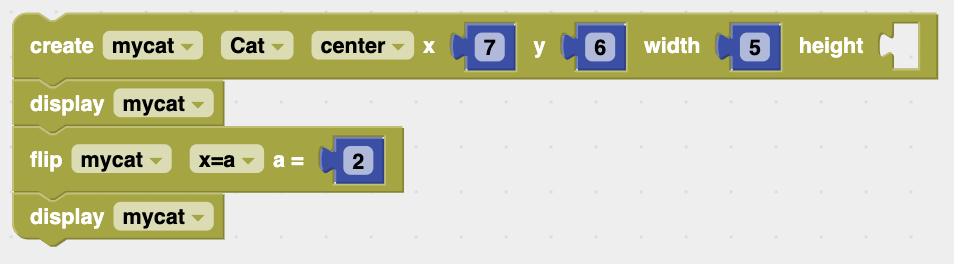
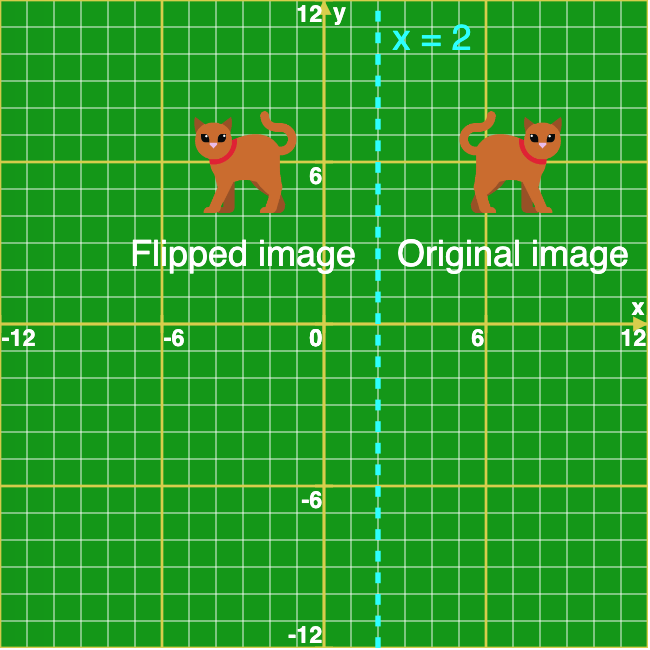
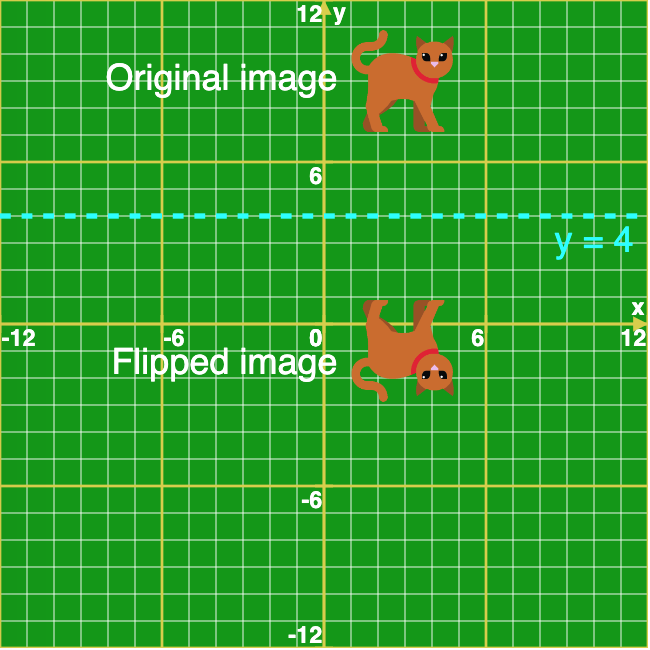
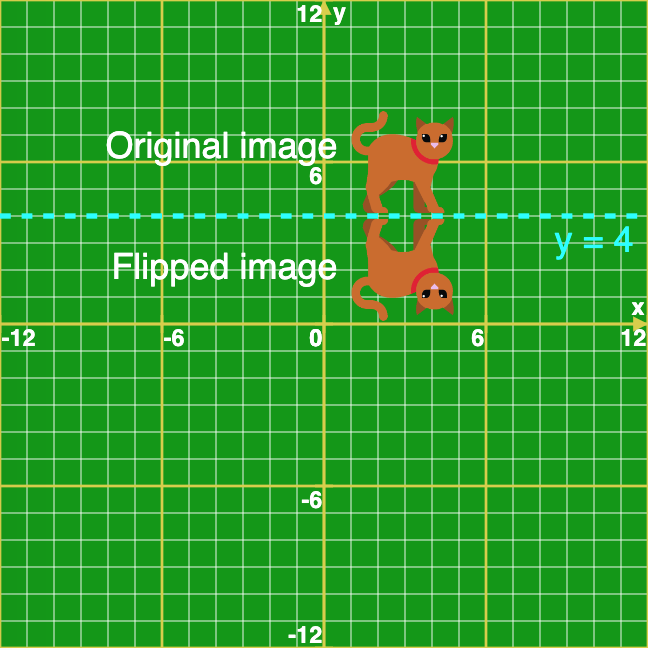
4. Flipping Across Any Vertical or Horizontal Line We can use any vertical or horizontal line for the flipping line, not just the $x$-axis or $y$-axis. This code specifies the vertical line $x = 2$ as the flipping line, with the result shown below (with the blue dotted line and labels drawn separately):
|
|
|
| Reflect a heart about the $x$-axis. What do you notice? |

The code creates an image object with a dolphin image and displays it. It then flips the image across the y-axis, displays it, flips that new version of the image across the $x$-axis and displays it, and finally flips that new version of the image across the $y$-axis and displays it. Use the Step button to step through the code one block at a time to see how it works. |
| The code creates an image object with a cat image and displays it. It then flips the image across the $y = x$ line and displays it. It uses the flip image block again to flip the image back across the $y = x$ line to change back to the original version. Then it flips the image across the $y = -x$ line and displays it. Use the Step button to step through the code one block at a time to see how it works. |
| The code creates an image object with a dog image, adds three colored points to it, and displays it. It then flips the image across the $y = x$ line and displays it. It uses the flip image block again to flip the image back across the $y = x$ line to change back to the original version. Then it flips the image across the $y = -x$ line and displays it. The three points help to show how the flips work. Use the Step button to step through the code one block at a time. |
| The code creates an image object with a cat image, adds a yellow point to it, and displays it. It flips the image across the vertical line $x = 2$ and displays, and then it flips it again across the horizontal line $y = 4$ and displays it. The yellow point helps to show how the flips work. Use the Step button to step through the code one block at a time. |
|
| Grid Size: S M L | Simple View: | MinView: |
| Coord: x-axis y-axis | Grid Lines: x-axis y-axis | |||
| Grid: | 12x12 inches | 24x24 inches | 36x36 inches | |
| 72x72 inches | 96x96 inches | 192x192 inches | ||
| 1x1 inches | 2x2 inches | Fraction: | ||
| xy-Range: | ||||
|
|
||||
|
|
||||
| Quad: | 1 Quadrant | 4 Quadrants | 1&4 Quadrants | |
| Units: | US Customary | Metric |
Ruler:
|
|
| Labels: |
|
|
|
Font
px
|
||
| Tics Lines: |
Width
px
|
|
| Hash Lines: |
Width
px
|
|
|
(
,
in
) in
|
|
degrees
|
|
|
(
,
in
) in
|
|
degrees
|
|
|
(
,
in
) in
|
|
degrees
|
|
|
(
,
in
) in
|
|
degrees
|
|
|
(
,
in
) in
|
|
degrees
|
|
|
(
,
in
) in
|
|
degrees
|
|
|
(
,
in
) in
|
|
degrees
|
|
|
(
,
in
) in
|
|
degrees
|
|
|
(
,
in
) in
|
|
degrees
|
|
|
(
,
in
) in
|
|
degrees
|
|
|
(
,
in
) in
|
|
degrees
|
|
|
(
,
in
) in
|
|
degrees
|
|
|
(
,
in
) in
|
|
degrees
|
|
|
(
,
in
) in
|
|
degrees
|
|
|
(
,
in
) in
|
|
degrees
|
|
|
(
,
in
) in
|
|
degrees
|
|
|
(
,
in
) in
|
|
degrees
|
|
|
(
,
in
) in
|
|
degrees
|
|
|
|||||||||||
|
|||||||||||